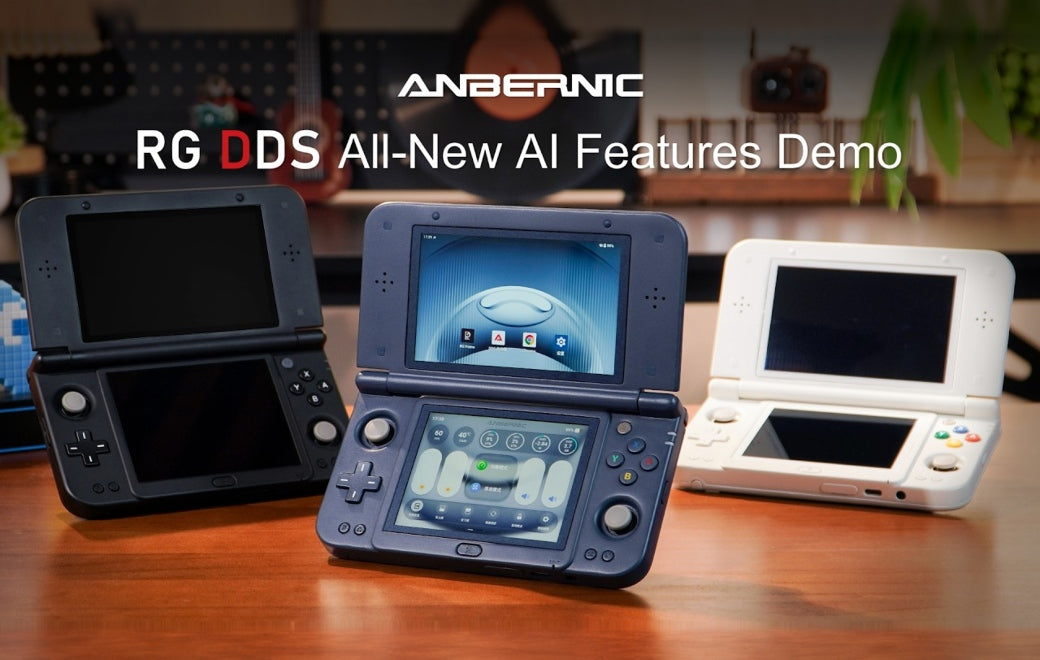
Your next quick match could begin with a few lines of text. The ANBERNIC RG DDS brings together AI game creation, on-screen assistance, and a Dual-Screen Control Center, giving you more ways to create, explore, and play.
🎮 Turn Your Idea into a Playable Game
Start by describing the game you want to make. AI Game Workshop uses cloud and on-device AI models to create HTML5 games that can run directly on the handheld, with your written prompt setting out the rules, controls, and style of play.
🖥️ Two Screens, More Ways to Take Control
The Dual-Screen Control Center brings performance, cooling, brightness, and volume settings together in a Liquid Glass interface, with adjustments and device status displayed on the lower screen. The lower screen also works as a touchpad, supporting single- and two-finger gestures for touch input, clicks, swipes, and back navigation, giving you another way to control the handheld alongside its physical buttons.
⚙️ Make the Shortcuts Your Own
The new Handheld Settings menu lets you customize both the AI and RG buttons. Set up these physical shortcuts around the functions you want close at hand, making the controls fit the way you use your handheld.
🎙️ Control Your Handheld by Voice
AI Voice Companion lets you open a game, adjust brightness and volume, switch performance modes, and turn the lower screen on or off using spoken requests. You can also call up the Control Center by voice, making everyday adjustments without navigating through menus.
🧭 Help for the Game in Front of You
When a puzzle stops you in your tracks or a game leaves you wondering what to do next, the AI assistant can recognize on-screen content, search the web, and look up walkthroughs relevant to the game you are playing.
Alongside intelligent dialogue, these tools give you a place to ask questions and look for guidance before choosing your next move.
🌐 Follow the Story Across Languages
Real-time translation helps you follow unfamiliar game text. Optimized for dual-screen display, it supports multiple translation layouts so you can choose how translated text is presented. From a line of dialogue to a menu you are learning to navigate, the aim is to make the game easier to understand.
🎥 See the RG DDS in Action
Your next session might begin with a familiar favorite, a little help with a difficult section, or a game idea of your own. Explore the RG DDS and see where two screens can take you.